HTML stands for Hypertext Markup Language. HTML is the basis of any webpage, it can be written in the most basic text editor like “notepad” in Windows to most advanc word editors.
HTML documents are made of texts enclosed in between different types of “tags” these tags are called HTML elements.
These elements are used for embedding and formatting different information like image, text, links, audio video etc to a web page further CSS (Cascading Style Sheet) is used for page layout and designing purpose.
A Brief History Of HTML
HTML 2.0 (1995)
HTML 2.0 was the first complete version released in 1995
The whole html document is always enclosed in between html tags
<html>
————————————————————-
————————————————————-
</html>
<body>—-</body> tag encloses the visible part of the document.
Heading
There are total six heading elements in HTML
<h1>First Heading</h1>
<h2> Second Heading</h2>
<h3>Third Heading</h3>
<h4>Fourth Heading</h4>
<h5>Fifth Heading</h5>
<h6>Sixth Heading</h1>
Heading size decreases from <h1> to <h6>.
<p> ……. </p> element is used for paragraphs. Each element declared in the begining must be closed following a forward slash (/), except some exceptions which we will discuss later.
Gmail is one of the most popular mailing service on the planet, almost each one of us uses it in one or another way. But do you know, Gmail has released many features since its birth. Here We will learn some interesting and productive features.
Here are Gmails Top features
Note: All screenshots used below are for gmail web for gmail on iOS and android it is slightly different. If you face any problem write in the comment box.
Schedule email
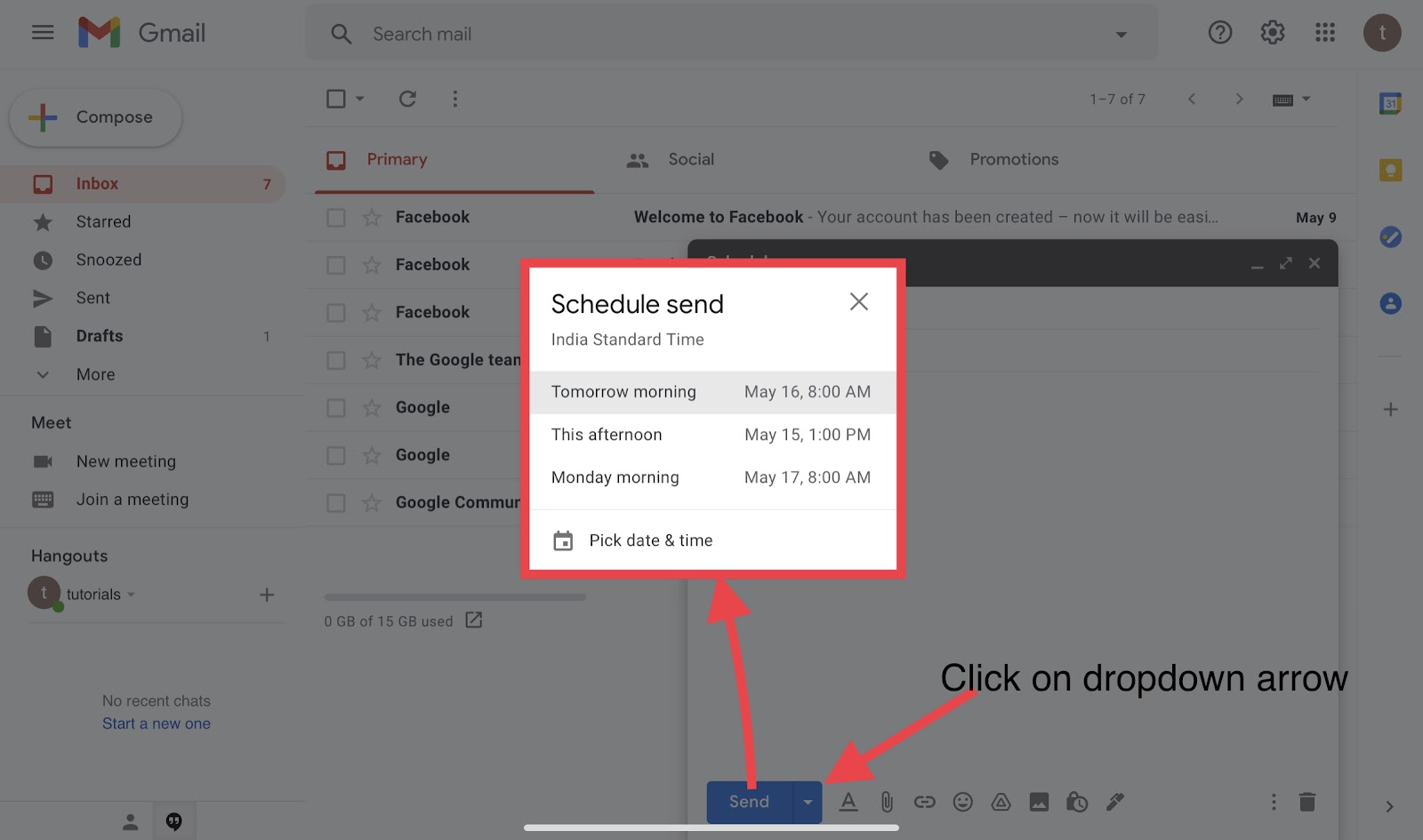
Gmail provides you a feature of scheduling emails. You can schedule your email to be sent tomorrow morning, tomorrow afternoon or you can choose your prefered date and time.
Undo Send Action (Get some more time to correct yourself)
While sending, moving, or deleting mails in Gmail you must have seen a “undo” popup.
Do you know? You can increase the default time of 5 seconds to 10, 15, 20, 25 and maximum of 30 seconds. These extra seconds you increase will give you some more time to correct your mistakes.
Smart compose (AI assistance )
Gmail features a smart compose feature which uses AI (Artificial Intelligence) to adapt as per your writing habits.
Smart compose automatically completes your sentences while writing emails.
To enable smart compose on the web go to settings then turnON “Writing Suggestion”.
Similarly you can enable this feature on iOS and android gmail apps just go to settings and select your email account then turn on Smart Compose.
Confidential Mode
Gmail provides you an extra layer of security while sending confidential emails. This feature can be accessed by tapping on the padlock symbol while composing the email, for iOS and android gmail app tap on three dots on the top right corner and select confidential mode.
Recipients of confidential emails cannot send, copy or print your email further you can also set the expiration time for these emails.
Also there is an option to password restrict access to your email with sms passcode.
Translate Emails
Google has incorporated its Google translate into Gmail, now you can translate emails to your desired language using the translate message option. Just after opening any email you will see a translation bar, and if not then just click on the three dots (menu option ) select “translate message” option and then in the translation bar choose your desired language.
Save Attachments To Google Drive
Some of the emails you receive might contain attachments which you want to save for future reference or record. Now Google has link Gmail and Drive together there is no need to download and save you attachments on your device you can directly click on the drive icon and the attachments will be automatically uploaded to your Drive.once you open the attachment Drive icon appears on the top bar in the same way you can save attachments on iOS and android apps.
Change Gmail background theme
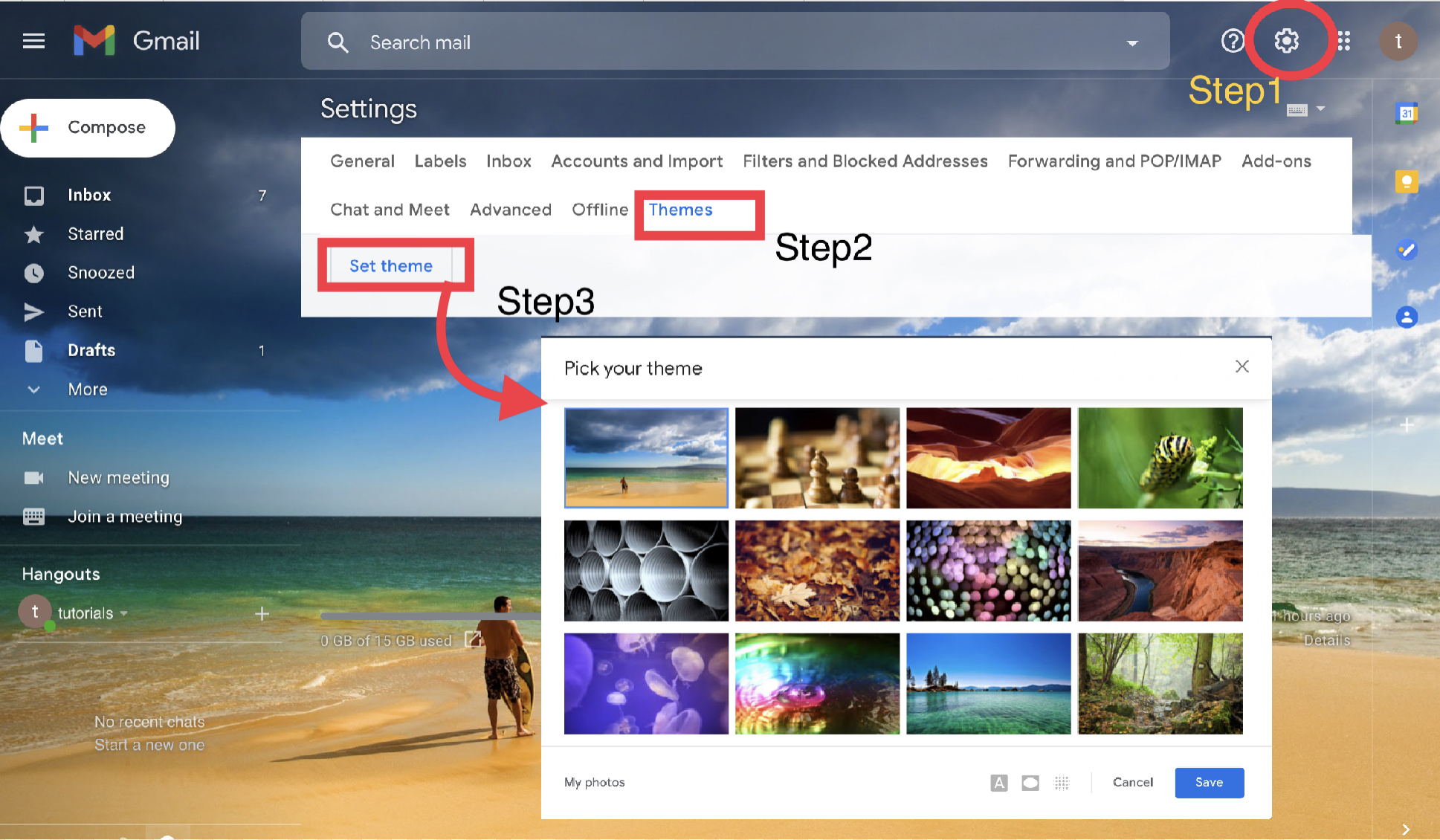
Gmail offers background themes which you can access by tapping on the settings icon below is the screenshot.
After applying the theme your email will get a totally new look. You have a lot of themes to choose from and you can customise your own theme.
Gmail Chat (Early Access )
With a growing number of platforms for Chats and calls over Data connection like Whatsapp, Messenger, twitter etc Gmail now has one interesting and useful Gmail Chat feature. This feature will allow you to chat with your friends in a more quick and responsive way. You can mail, chat, and meet all in one place. To enable chat in Gmail Tap on setting and then “Chat and Meet” tab and select “Google Chat”
After enabling Google Chat, a chat box will appear on the left side panel. From there by clicking on + icon you can start a new chat.
You can enable google chat in Gmail App on android and iOS also.
As soon as new interesting features arrive it will be published here. If you face any problems implementing the above features you can write in the comment box.
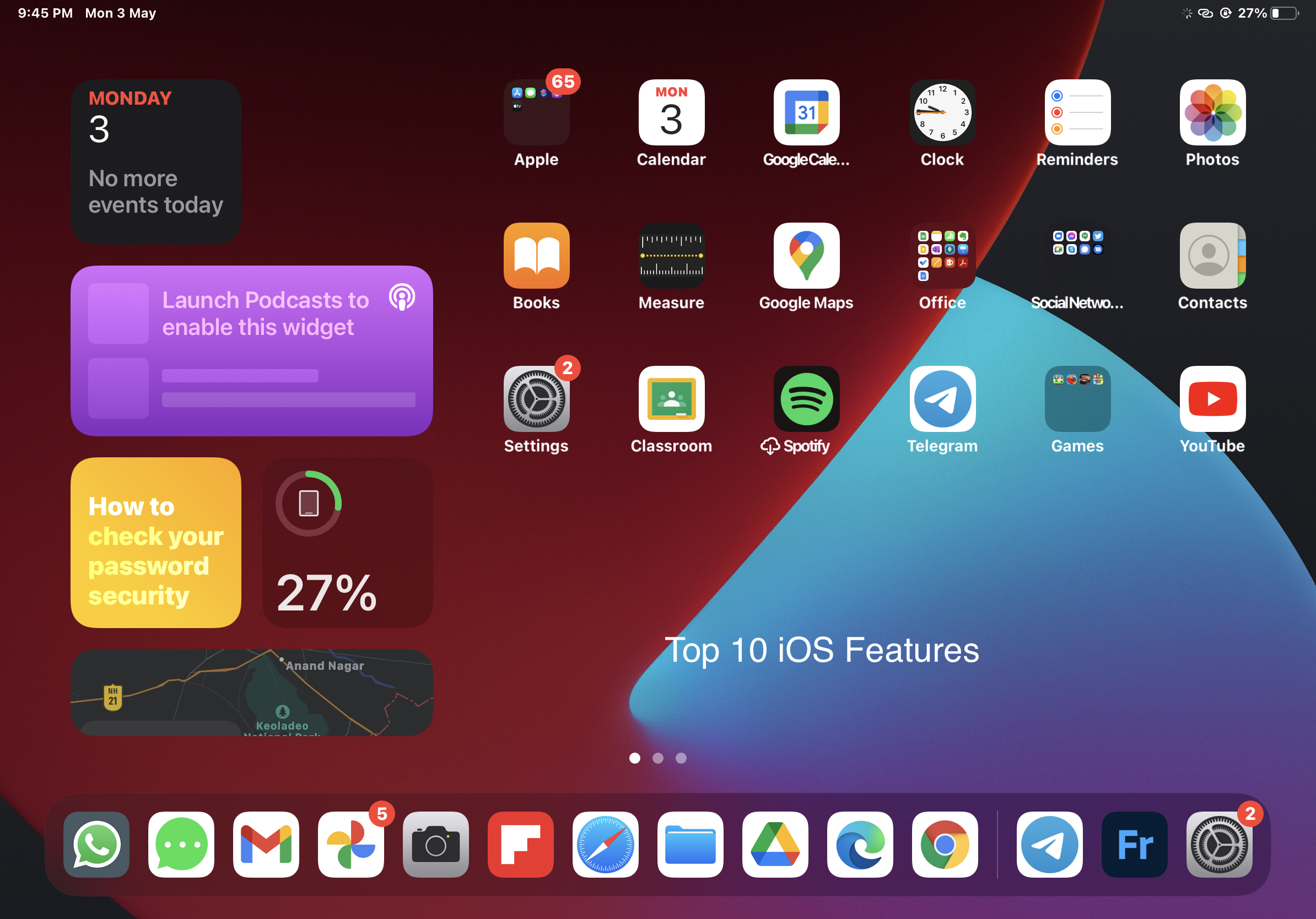
As we all know IOS is best known for its strong privacy. But along with privacy it also provides some exclusive features which you will not find anywhere else.
Here we are going to discuss some of the IOS features which you must know.
Take screenshot of the full web page with editing enabled
When it comes to screenshot IOS has one exclusive feature which you will not find anywhere else.
On IOS you can take the screenshot of whole webpage if you are using Safari as the browser.
To do so just take the screenshot from your IPad/Iphone, click top button and volume up button simultaneously.
Now select from the top navigation bar ‘Full Page ’ in place of ‘Screen’. And then save as PDF
You can save it as pdf file and edit the pdf afterwards.
Control Torch brightness
On IPad you have an inbuilt torch app but you might not be knowing that you can also increase and decrease its brightness.
To increase or decrease brightness long press the torch icon then a slider button will appear from there you can control the brightness of your torch
Copy and past between ipad and iphone
Now you can copy and paste your clipboard between IPad and Iphone directly.
You can try this feature by simply copying any text on one device and use paste option on the other device.
Scan documents directly into files on your IPad
Open the file app on your IPad/IPhone and click on the three dots on the top of side navigation panel.
Select ‘scan documents’ from the menu scanned document will be saved in the corresponding folder.
Make custom shortcuts for ‘Hey Siri’
On IPad/Iphone ‘Hey Siri’ is a virtual assistance you can ask siri for music, call messages etc.
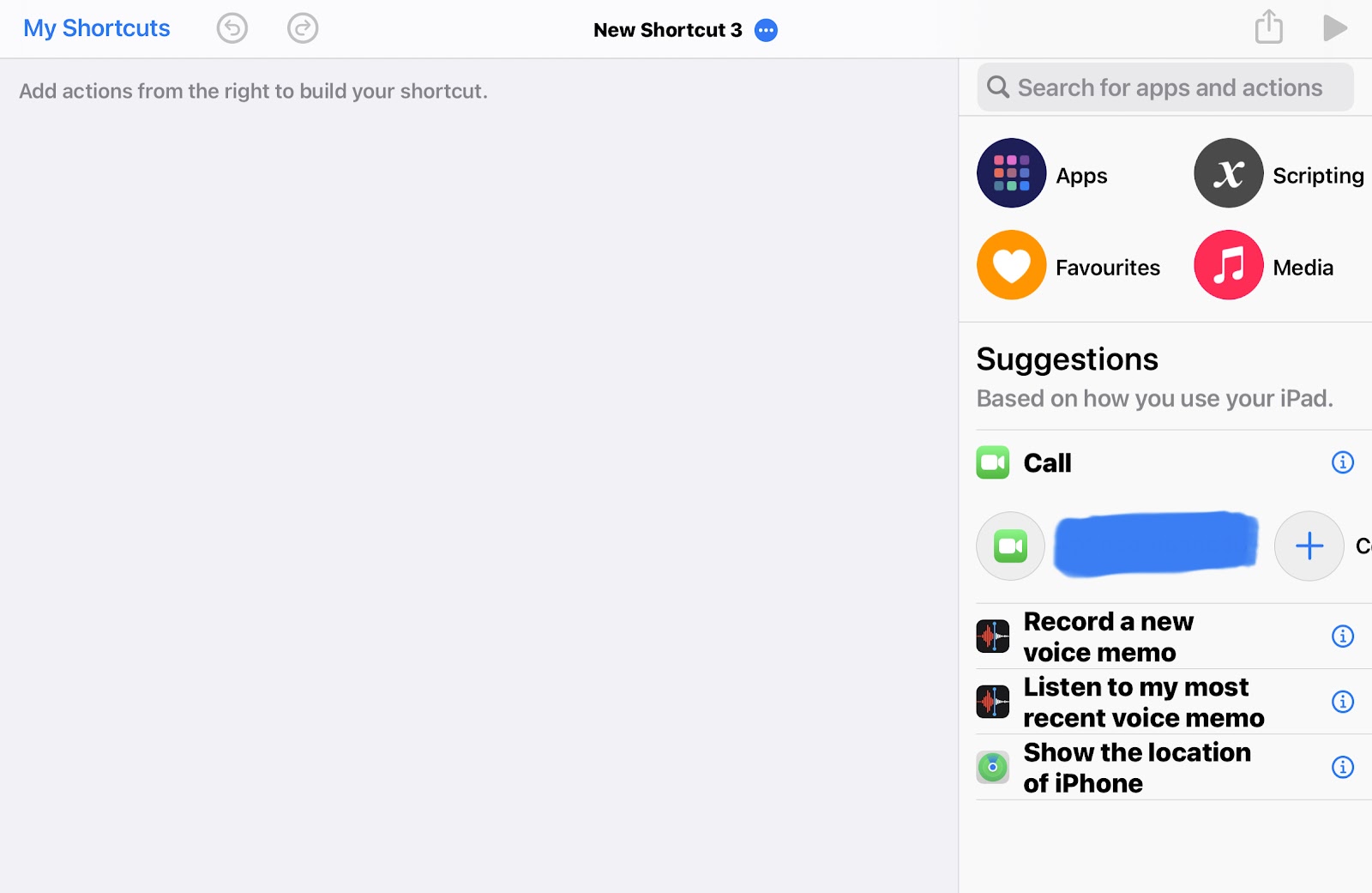
In addition to the general voice commands for Siri you can also create your own custom commands using shortcuts.
First of all run “shortcuts” app then click on + icon and create your custom siri command like visiting specific url or anything else.
Use your keypad as touchpad to navigate
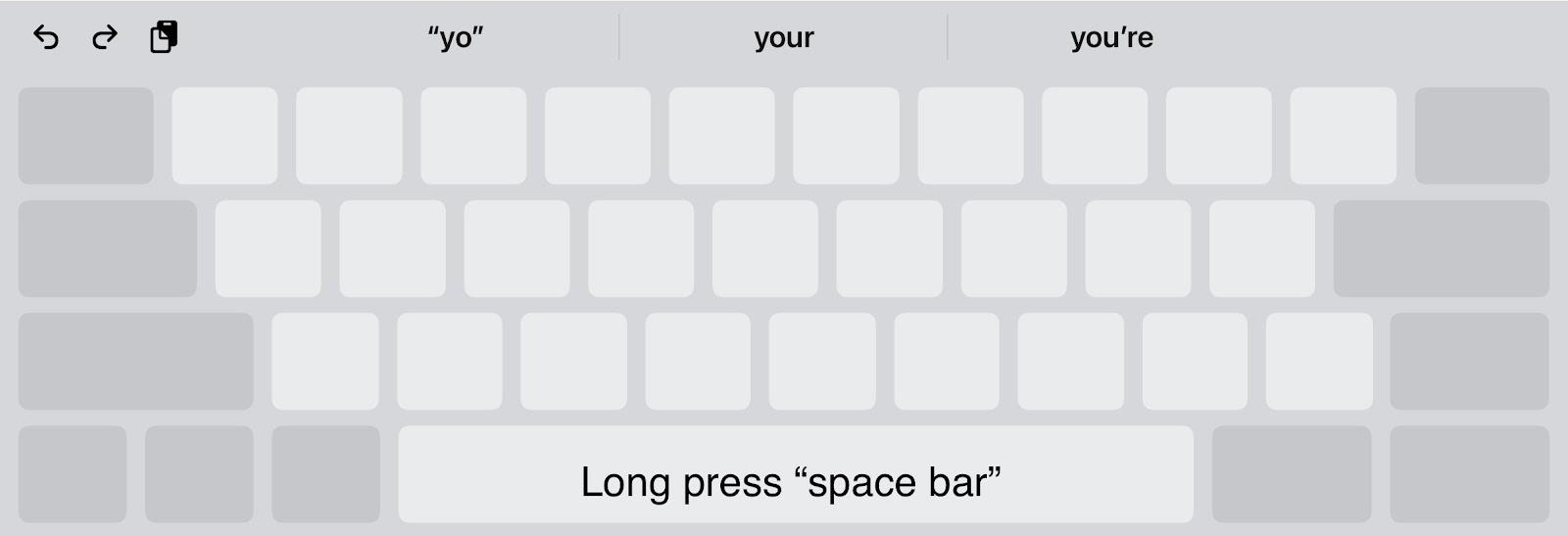
On IOS you can use your keypad as trackpad to do so you only have to longpres your space barAfter that you can scroll up, down, left and right as you want.
Floating keyboard on IPad
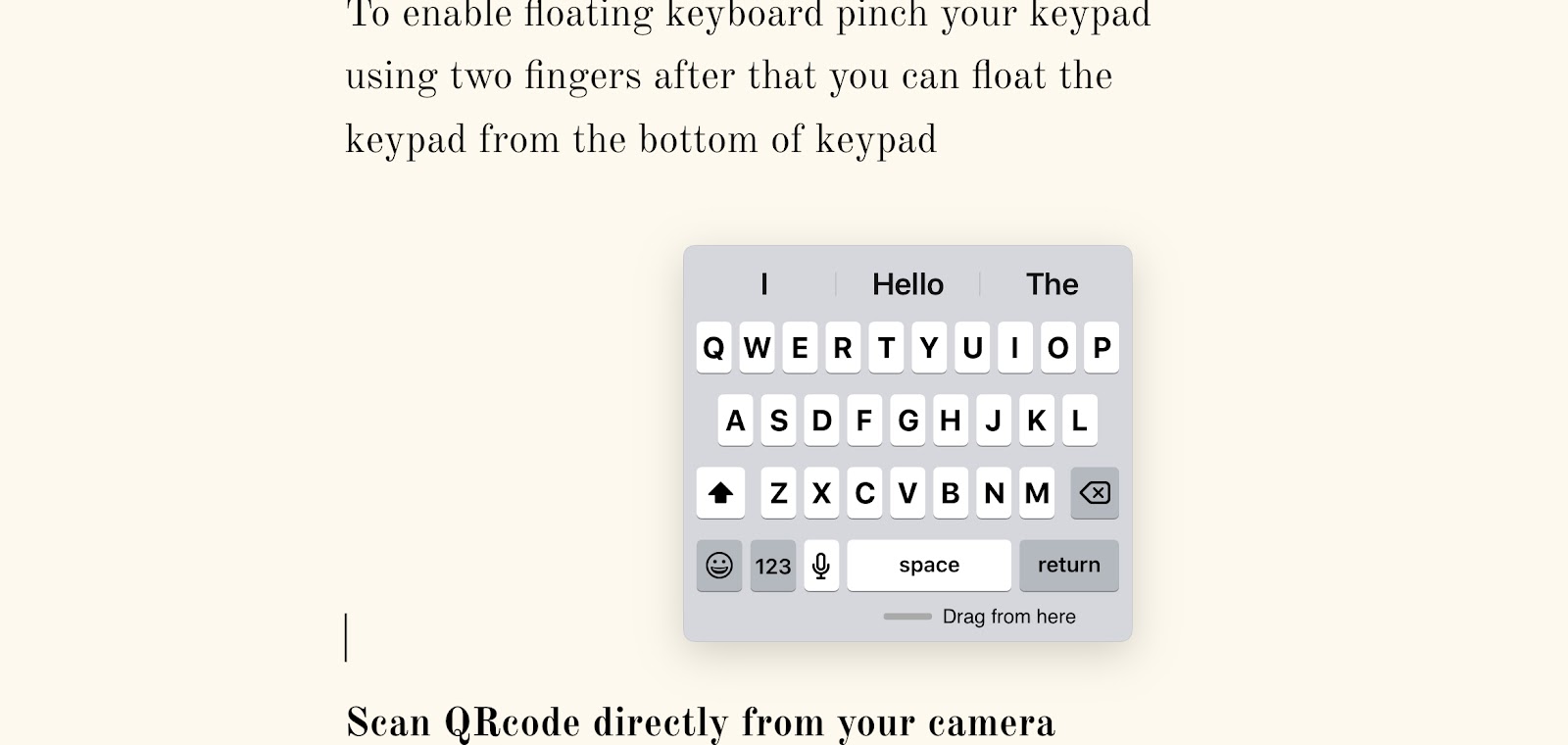
On IPad floating keyboard is a feature at the time when you want to use one handed
To enable floating keyboard pinch your keypad using two fingers after that you can float the keypad from the bottom of keypad
Scan QRcode directly from your camera
You might not know that on IPad you can scan any QR code directly from camera.
On focusing your camera on any QR code it will automatically scant it and a pop up will appear after you click it you wll be directed to the linked url.
Hide selected photos on IPad pro
Everyone of us private or personal photos captured on our device and the time comes when someone from our relatives or friend ask us to watch photos on your IPad than this trick can save your personal pictures
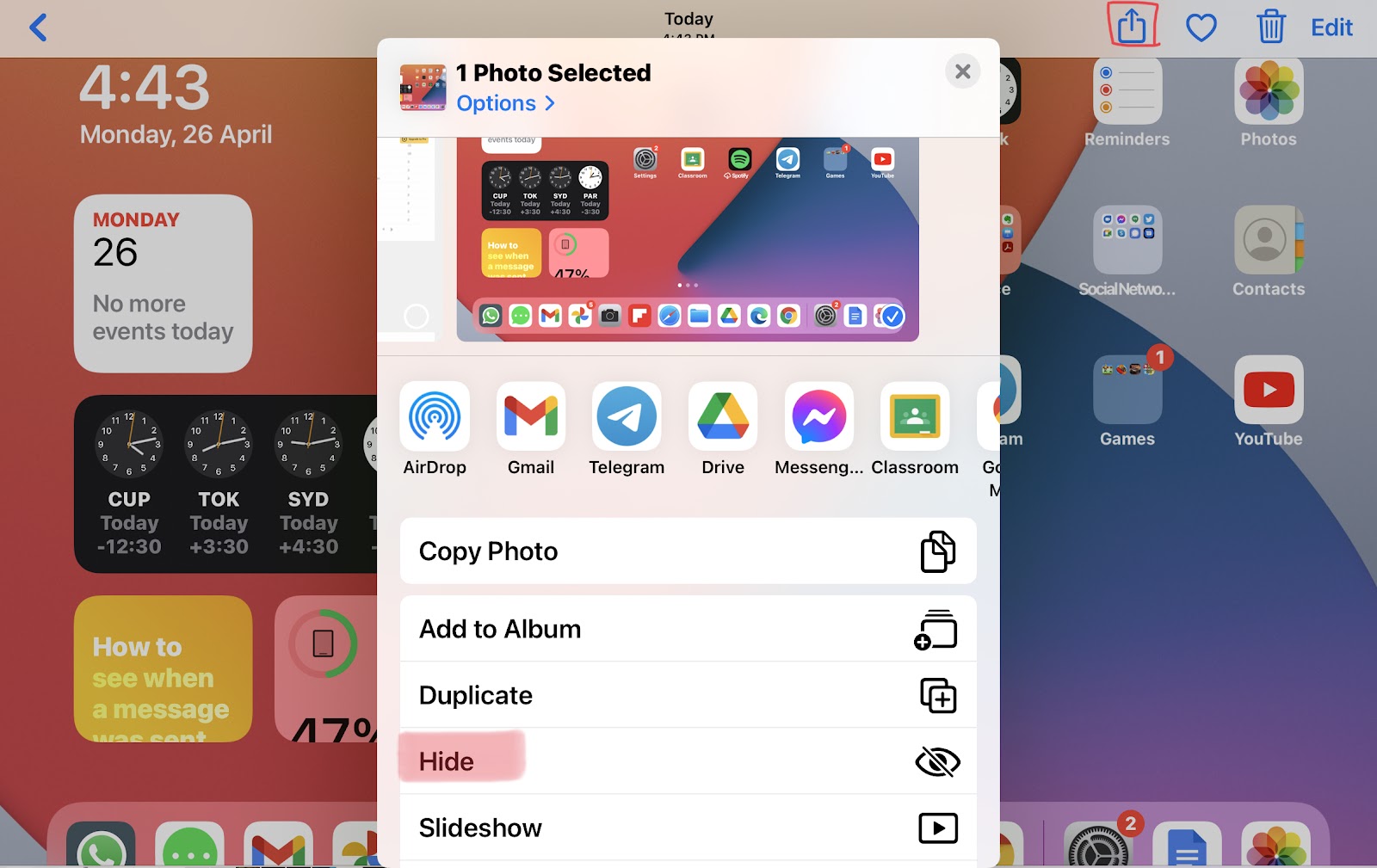
So first of all open photo app on your IPad and select photos you want to hide.
Using share button hide the selected photos
After completing this step your photos will move to a new album named ‘Hidden’ but they are not truly hidden.
You are required to open settings and navigate to photos in setting and disable hidden album so that no one could see you hidden album.
Restrict Ipad to a particular app
Sometimes your kids or your friend wants to use your IPad and you don’t want to give them complete access of your IPad so you can restrict their access using guided access in Accessibility setting of IPad.
Situation occurs when you have to share photos and videos to someone else, but if you use Whatsapp, Telegram or other such services you will loose the original Quality of your File, which is a problem.
Best way to share photos in original quality
There are various methods of sharing photos but the best of them is Google Drive
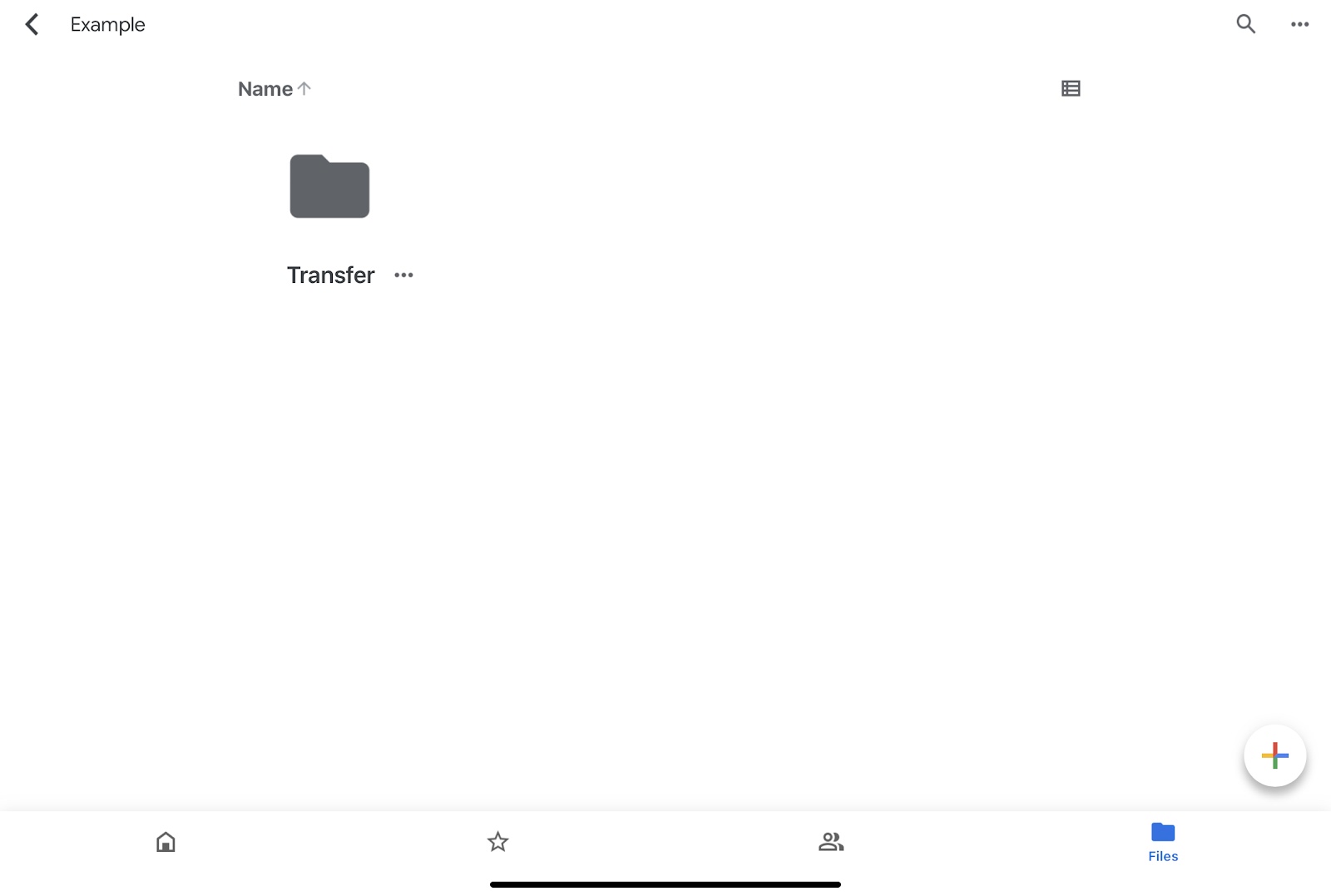
First of all you create a Folder in your drive for example I have created and named it ‘Transfer’.
Then click the + button at the bottom of the screen and upload the photos and videos you want to share in the Folder you have created.
After you have uploaded all files just go to options and click on share option and enter the persons email address you want to share the files.
Also you can select what recipients can or cannot do.
Viewer: can Only view the Files
Commenter: commenter can view and comment on photos and videos (Files)
Editor: Editor can view, comment and edit Files
An alternative way is to use the copy link option. Once you copy the link you can share the link and then give access once requested by the recipient.
Advantage of this method of transferring files is that you can upload once and share many times as per your requirement.
Once the job is completed you can delete the complete folder in this case ‘Transfer’ folder or individual files in the folder which you no longer want to share. Or you can delete the recipient.
Disadvantage is that Google Drive Free subscription has limited storage of 15 GB. But you can upgrade your subscription plans to know more visit
Java script is used to change HTML. It can change HTML attribute’s value and HTML style (CSS).
It was invented by Brendan Eich in 1995, later Javascript became ECMA standard in the year 1997.
Introduction
Javascript is an essential component of web development. In HTML JavaScript code is inserted between <script> tags.
Scripts can also be stored in separate external files ending with .js extension. External Javascript files are useful in places where same js code is to be used on different pages.
It makes HTML and Javascript easier to read and maintain.
cached Javascript can speed up page loading time.
JavaScript Functions
JavaScript Functios are block of codes
JavaScript Functions can be entered in <head>——</head>
Or <body>———</body>section in HTML.
JavaScript print
JavaScript print function can be used to print the current window.
<!DOCTYPE html> <html> <body> <h2>The window.print() Method</h2> <p>Click the button to print the current page.</p> <button onclick=”window.print()”>Print this page</button> </body> </html>