Category: Web

  • What Is a CDN (Content Delivery Network)?

    What Is a CDN (Content Delivery Network)?

    Introduction

    CDN (Content Delivery Network) is a network of geographically distributed servers that work together to deliver digital content—such as images, videos, stylesheets, scripts, and entire web pages—efficiently, reliably, and quickly to users. These servers cache content closer to end-users to minimize delays and reduce server load, significantly improving website performance and user experience.


    What Does a CDN Do?

    When a user visits your website:

    • Without a CDN: The user’s request travels to your origin server (which could be far away), increasing latency and server load.
    • With a CDN: The request is routed to the nearest CDN edge server, which serves the cached content, drastically improving speed and user experience.

    A CDN also:

    • Balances traffic across multiple servers
    • Detects the optimal server for each request
    • Acts as a shield for your origin server against spikes and attacks

    Key Features of a CDN

    • Edge servers distributed globally
    • Static and dynamic content caching
    • Load balancing and failover mechanisms
    • Real-time DDoS mitigation and Web Application Firewall (WAF)
    • TLS/SSL encryption support for secure delivery
    • Real-time analytics and usage metrics

    Why You Need a CDN

    Implementing a CDN provides multiple performance and business advantages:

    BenefitDescription
    🌐 Faster Load TimesReduced distance between users and content servers
    📈 Better PerformanceOffloads traffic from your main server
    🔒 Improved SecurityBuilt-in DDoS protection and encrypted data transfer
    📉 Reduced Bandwidth CostsEfficient caching minimizes requests to origin server
    📊 Higher SEO & EngagementFaster sites rank better and retain users longer
    🌍 Global ScalabilityEnsures consistent performance for users worldwide

    Real-World Use Cases

    • E-commerce sites: Fast page loads increase conversion rates and reduce cart abandonment.
    • Streaming services: CDNs enable smooth video delivery and adaptive streaming.
    • Media and news outlets: Handle sudden traffic surges during major events.
    • Mobile apps and gaming platforms: Accelerate content delivery and updates.
    • Enterprise websites: Maintain reliable and secure global access to resources.

    Popular CDN Providers

    • Cloudflare – Known for performance, security, and free tiers.
    • Akamai – One of the oldest and largest CDN providers with enterprise features.
    • Amazon CloudFront – Deeply integrated with AWS services.
    • Google Cloud CDN – Seamless integration with Google Cloud infrastructure.
    • Fastly – Popular for real-time content delivery and edge computing.

  • Mastering File Compression: ZIP, RAR, 7Z, and Beyond

    Mastering File Compression: ZIP, RAR, 7Z, and Beyond

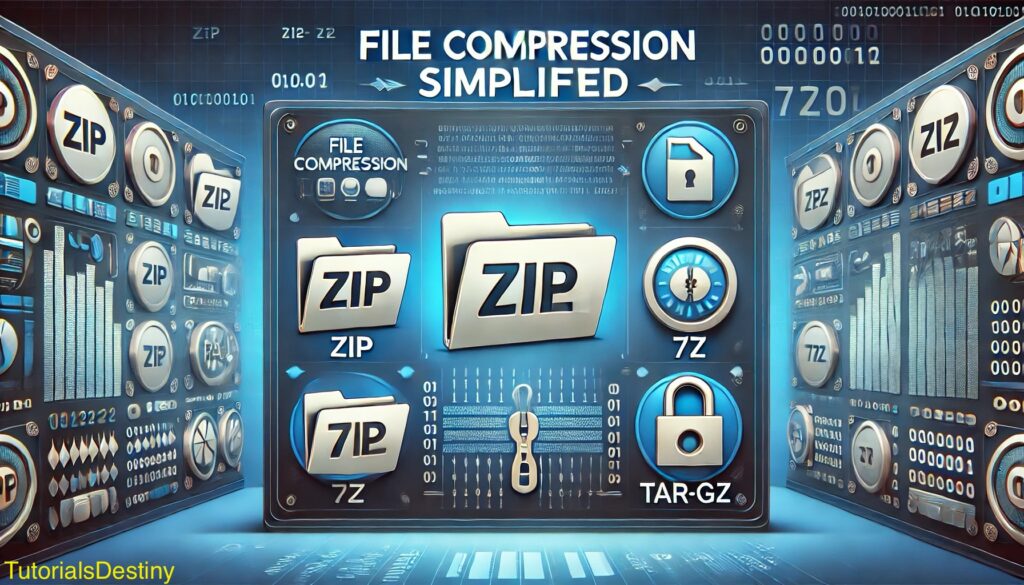
    File compression is a fundamental process used in computing to reduce the size of files or groups of files. It makes data storage more efficient and facilitates faster file transfer over networks. Let’s dive deep into the concepts of file compression, the most popular compression formats, how they work, and their applications.

    File compression

    What is File Compression?

    File compression involves applying algorithms to reduce the size of a file by eliminating redundancy or unnecessary data. The compressed file can then be decompressed to restore the original content. Compression methods can be classified into:

    1. Lossless Compression:
      • Ensures that no data is lost during compression.
      • The original file can be perfectly restored after decompression.
      • Ideal for text, programs, and sensitive data where accuracy is critical.
      • Examples: ZIP, RAR, 7Z, TAR.GZ.
    2. Lossy Compression:
      • Removes non-essential data to achieve higher compression ratios.
      • Useful for multimedia files (images, audio, video) where some quality loss is acceptable.
      • Examples: JPEG, MP3, MP4.

    How File Compression Works

    Compression relies on advanced algorithms to find patterns and redundancies in the data and encode them more efficiently. Here’s a breakdown:

    1. Data Encoding:
      • Identifies recurring patterns (e.g., repeated words, pixels, or sequences) and replaces them with shorter representations.
      • Examples: Huffman encoding, Run-Length Encoding (RLE).
    2. Archiving:
      • Combines multiple files and directories into a single compressed archive for convenience.
      • Archiving does not compress the data by itself but facilitates better management.
    3. Encryption (Optional):
      • Secures the compressed file with passwords or encryption to prevent unauthorised access.
      • Common in proprietary formats like RAR and 7Z.
    4. Compression Algorithms:
      • Algorithms such as DEFLATE (used in ZIP) and LZMA (used in 7Z) achieve varying levels of compression efficiency based on the file type.

    Popular Compression Formats

    1. ZIP
      • Overview:
        • One of the oldest and most widely used formats.
        • Supported natively on most operating systems (Windows, macOS).
      • Features:
        • Lossless compression.
        • Allows multiple files and folders to be archived into one.
        • Moderate compression ratios.
      • Strengths:
        • Easy to use and highly compatible.
      • Limitations:
        • Less efficient compression compared to newer formats.
      • Common Tools:
        • Built-in OS support, WinRAR, 7-Zip.
    2. RAR
      • Overview:
        • Proprietary format developed by RARLAB.
        • Known for its higher compression efficiency and robust error recovery.
      • Features:
        • Higher compression ratio than ZIP.
        • Built-in error recovery to fix corrupted archives.
      • Strengths:
        • Advanced options like multi-volume archiving.
      • Limitations:
        • Requires specialised tools (e.g., WinRAR) for extraction.
      • Common Tools:
        • WinRAR, PeaZip.
    3. 7Z
      • Overview:
        • Open-source format with exceptional compression ratios.
        • Developed by Igor Pavlov for the 7-Zip software.
      • Features:
        • High compression using LZMA/LZMA2 algorithms.
        • Strong AES-256 encryption for secure files.
      • Strengths:
        • Supports large file sizes and archives.
      • Limitations:
        • Compression and extraction are slower than other formats.
      • Common Tools:
        • 7-Zip, PeaZip.
    4. TAR.GZ (or TGZ)
      • Overview:
        • Popular in UNIX/Linux environments.
        • Combines two processes: TAR (archiving) and GZIP (compression).
      • Features:
        • Lossless compression.
        • Preserves file system metadata (permissions, timestamps).
      • Strengths:
        • Ideal for packaging software and backups.
      • Limitations:
        • Not as user-friendly for non-Linux users.
      • Common Tools:
        • Linux command-line utilities, 7-Zip, WinRAR.

    Comparison of Compression Formats

    FeatureZIPRAR7ZTAR.GZ
    Compression RatioMediumHighVery HighHigh
    Encryption SupportBasicAdvancedStrong (AES)Limited
    Cross-PlatformYesLimitedYesYes
    Error RecoveryNoYesYesNo
    File SplittingNoYes (multi-part)Yes (multi-part)No
    Ease of Use. Very HighModerateModerateLow (CLI-based)
    Comparison of Compression Formats

    Advantages of File Compression

    1. Saves Storage Space: Reduced file size minimises disk usage, especially for backups or large datasets.
    2. Improves Transfer Speeds: Smaller files are faster to upload, download, or transfer over a network.
    3. Simplifies File Management: Multiple files can be combined into one archive for better organisations.
    4. Enhanced Security: Encryption features protect sensitive data from unauthorised access.

    Disadvantages of File Compression

    1. Time-Consuming: Compressing and decompressing large files can take time, especially with advanced algorithms.
    2. Risk of Data Loss: Corrupted archives may become irrecoverable without error recovery features.
    3. Tool Dependency: Some formats, like RAR, require proprietary software for access.
    4. Compatibility Issues: Older systems may not support modern formats like 7Z or TAR.GZ.

    Applications of File Compression

    • Backup and Archiving: Reduce space for storing backups while retaining all file metadata.
    • File Transfer: Accelerate sharing of files over email or cloud storage.
    • Software Distribution: Bundle multiple files (e.g., installers, dependencies) into a single archive.
    • Data Security: Encrypt sensitive files before transmission.

    Common Compression Tools

    1. Windows: WinRAR, 7-Zip, PeaZip, Built-in ZIP support.
    2. macOS: Keka, The Unarchiver, Built-in ZIP support.
    3. Linux: Command-line tools like tar, gzip, and bzip2.
    4. Cross-Platform: 7-Zip, PeaZip, WinRAR.

    Conclusion

    File compression is a versatile tool in modern computing, allowing users to optimize storage, enhance file sharing, and secure data. By understanding the differences between formats like ZIP, RAR, and 7Z, and the tools available, users can make informed decisions about how to manage and store their digital files efficiently.

  • Best File Recovery Tools for Windows Users

    Accidentally deleting important files or experiencing data loss can be frustrating. Fortunately, there are numerous file recovery tools available for Windows users to help recover lost or deleted files from hard drives, SSDs, USB drives, and even memory cards. In this article, we’ll explore some of the best file recovery tools for Windows, highlighting their features, pros, and cons.

    1. Recuva

    Recuva is a user-friendly and efficient tool for recovering deleted files. Developed by the makers of CCleaner, it is one of the most popular recovery tools for Windows users.

    Features:

    • Recovers files from hard drives, memory cards, and USB drives.
    • Deep Scan mode for finding deeply buried files.
    • Secure deletion feature for permanently erasing sensitive files.

    Pros:

    • Free version available.
    • Easy-to-use interface suitable for beginners.

    Cons:

    • Limited advanced recovery options in the free version.

    Price: Free, with a Pro version starting at $19.95.

    Download Recuva

    2. EaseUS Data Recovery Wizard

    EaseUS Data Recovery Wizard is a comprehensive tool that supports the recovery of various file types, including documents, videos, and images.

    Features:

    • Recovers files lost due to formatting, accidental deletion, or partition loss.
    • Preview feature to check recoverable files before restoring.
    • Supports recovery from damaged or corrupted drives.

    Pros:

    • Intuitive interface with a step-by-step recovery process.
    • High success rate for file recovery.

    Cons:

    • Free version has a recovery limit of 2 GB.

    Price: Free for up to 2 GB; paid plans start at $69.95.

    Download EaseUS Data Recovery Wizard

    3. Disk Drill

    Disk Drill is a powerful tool that supports over 400 file formats, making it a versatile option for recovering lost files.

    Features:

    • Supports recovery from NTFS, FAT32, exFAT, and other file systems.

    • Includes disk health monitoring and duplicate file detection.

    • Pause and resume recovery scans.

    Pros:

    • User-friendly interface with clear instructions.

    • Free version offers up to 500 MB of recovery.

    Cons:

    • Advanced features are available only in the Pro version.

    Price: Free for up to 500 MB; Pro version starts at $89.

    Download Disk Drill

    4. Stellar Data Recovery

    Stellar Data Recovery is a reliable tool with powerful features designed for both individuals and businesses.

    Features:

    • Recovers data from formatted, corrupted, or encrypted drives.

    • Advanced options for RAID recovery and optical media recovery.

    • Supports a wide range of file types and devices.

    Pros:

    • High compatibility with various storage media.

    • User-friendly interface with customisable recovery options.

    Cons:

    • Free version is limited to 1 GB of data recovery.

    Price: Free for up to 1 GB; plans start at $59.99.

    Download Stellar Data Recovery

    5. MiniTool Power Data Recovery

    MiniTool Power Data Recovery is an effective recovery tool that’s particularly useful for retrieving lost partitions.

    Features:

    • Recovers files from external drives, CDs, and DVDs.
    • Supports recovery of up to 1 GB of data in the free version.
    • Offers a bootable media builder for recovering data from crashed systems.

    Pros:

    • Simple interface for quick recovery.
    • Effective for partition recovery.

    Cons:

    • Limited data recovery in the free version.

    Price: Free for up to 1 GB; plans start at $69.

    Download MiniTool Power Data Recovery

    6. R-Studio

    R-Studio is a professional-grade recovery tool designed for advanced users and IT professionals.

    Features:

    • Supports recovery from networked drives and RAID arrays.
    • Hexadecimal editor for advanced file recovery.
    • Can recover files from severely damaged or formatted drives.

    Pros:

    • Highly customisable recovery options.
    • Supports multiple operating systems, including Windows, Mac, and Linux.

    Cons:

    • Steep learning curve for beginners.

    Price: Starts at $79.99.

    Download R-Studio

    7. PhotoRec

    PhotoRec is an open-source recovery tool designed to recover lost files from hard disks and removable media.

    Features:

    • Recovers over 480 file types.
    • Works well for recovering images, documents, and videos.
    • Available as a free tool.

    • Pros:

    • Free to use with no hidden costs.
    • High success rate for media file recovery.

    Cons:

    • Command-line interface may be challenging for non-technical users.

    Price: Free.

    Download PhotoRec

    How to Choose the Right Tool

    • For Beginners: Recuva and EaseUS Data Recovery Wizard are excellent choices for their ease of use.
    • For Advanced Users: R-Studio and PhotoRec offer professional-level features for complex recoveries.
    • For Multimedia Files: Disk Drill and Stellar Data Recovery are great for recovering images, videos, and audio files.
    • For Budget-Conscious Users: PhotoRec and Recuva (free version) are cost-effective solutions.

    Conclusion

    File recovery tools are essential for rescuing lost data. Whether you’re dealing with accidental deletion, formatting errors, or hardware failure, these tools can help you retrieve your files with ease. Choose the tool that best fits your needs based on file types, recovery complexity, and your level of technical expertise.

    Always remember to back up important files regularly to avoid potential data loss in the future!

  • Web 3.0 – On  The Timeline Of Internet

    Web 3.0 – On The Timeline Of Internet

    Birth of Internet

    It’s a common misconception that the Internet and the web are synonymous, but they are distinct entities. The Internet serves as the foundation, while the web represents one method of utilizing it. Numerous methods, including Email, VOIP, and Video Conferencing, operate on the Internet alongside the web.

    The Internet signifies the interconnection of computers. In 1962, computer scientist J.C.R. Licklider from MIT was the first to propose the concept of networked computers.

    In 1969, ARPANET marked the first usage of the internet. During the 1970s, various interconnected networks operated using different protocols. Then, on 01 January 1983, the TCP/IP protocol was introduced, which is also considered as the birth of the Internet.

    Web 1.0 (Read Only)

    In 1989, a pivotal moment in the history of the internet occurred when Tim Berners-Lee, a British computer scientist, invented the World Wide Web (WWW) while working at CERN, the European Organization for Nuclear Research. Berners-Lee’s invention was a breakthrough that revolutionized the way we access, share, and interact with information on the internet..

    In its early stages, the web operated as a read-only platform, akin to newspapers, where users could only view webpages without the ability to comment or interact. This era, often referred to as Web 1.0, was characterized by static web pages published by large institutions, offering limited user engagement.

    In 1993, the web became accessible to the public, marking the emergence of web browsers such as Netscape Navigator and Opera 1.0, along with the birth of search engines like Aliweb, Yahoo, and Google.

    During the late 1990s, as the number of commercial websites grew, the process of commercializing the web gained momentum, leading to the dot-com bubble boom.

    Subsequently, in March 2000, the dot-com bubble burst, leading to the failure and shutdown of numerous online shopping and communication companies.

    Web 2.0 (Web Apps)

    Web 2.0 is the second iteration of web and it comes into effect around the year 2005.

    It was the time when web changed from read only to read-write format . Now the web application begins to get popular. Now the web was more dynamic as compared to web1.0.

    With this upgradation in the internet community. Now individuals have the power to comment, share and publish their ideas on various social media platforms like facebook, twitter etc. This is the time when tech giants like Google, Facebook and Amazon govern the whole internet community. They are the centralised authoritarian to control who receives what information depending upon their personal data collected from individuals. They can stop their services for any individual or nation in case of conflict.

    In Web2.0 user does not have control over their personal data. They are tricked by tech platforms to give their personal information, to access free web services. Here the price is individuals personal data. This collected data is then processed, using advanced algorithms and personal profiling is done. On the basis of which advertisers and different agendas are targeted to the user.

    Web 2.0 reigns from approx 2005 till now.

    Web3.0 – A new era of Information technology

    Web3.0 is the most hyped term in the year 2020-2021. Most of the internet users are trying to figure out “what exactly web3.0 is ?”.

    Unlike web 2.0  which is centralised and controlled by big tech platforms. The idea of web3.0 is completely based on decentralisation.

    For better understanding of “centralised and decentralised” in the field of internet. Let us assume the internet as a country and its users as its citizens. Now centralised internet is like autocracy, where one person controls the whole community. 

    Whereas a decentralised internet is like Democracy (By the people, for the people, of the people). Where total power lies in the hands of the common users. Decisions are taken by the process of voting.

    On the timeline of the internet evolution web3.0 is the ongoing iteration of the web as we know it today.

    There is no fix point on the timeline where one can say that this is the beginning of web3.0. However some believe that adoption of blockchain is the mark point behind web 3.0.

    In web 3.0 user data is hosted and managed on blockchain which runs on algorithm without any human interference. User have total control over their personal data, stored on digital wallets.

    Here everyone have the equal authority, all decisions on the blockchain are made through concensus.

    Cryptocurrency, NFT (Non-fungible Token), Defi (Decentralised Finance), DAO (Decentralised Autonomous Organisation )and Metaverse are some of the examples of Web3.0. These all are decentralise in operations and based on Blockchain technology.

    Web3.0 is still in its early phase. So it is difficult to predict what it will look like in the near future.

  • Metaverse Explained

    Metaverse Explained

    Metaverse

    Metaverse is the most hyped word on the internet nowadays.

    It was first coined in 1992 by a sci-fi nobel writer Neal Stephenson to describe a 3D world.

    Once it was science fiction but nowadays it is getting closer to reality due to advancement in various tech sectors like Blockchain technology, Augmented reality and Virtual reality.

    What is Metaverse?

    Metaverse is a virtual universe simulated by different computing hardwares, where human beings and artificial intelligence characters coexist. 

    In the metaverse we can play different games, hang out with friends, make official meetings and visit art galleries. We don’t really enter the metaverse; rather our 3D avatar’s controlled by us enter this immersive world and then we interact with others via avatars. 

    Metaverse Presence 

    Question here is whether the metaverse is already present or it’s merely a hypothesis?

    Answer is ‘yes’ it is already present but in its initial stage, it has a long journey to go. VR games like Roblox, Sandbox, decentraland are some of the rough examples of metaverse.

    True concept of metaverse is of decentralisation means not in the control of a single tech firm or government organization but should be controlled, designed and created by its users.

    At present many big tech’s are developing their own form of metaverse. Recently social media platform facebook has launched ‘Horizon’ , Microsoft, Google and many other big tech companies are also progressive in this field.

    Metaverse Future 

    Two decade ago there were  no social media platforms but with the advent of time and technology their number has increased from no to many.

    Nowadays most of us spend a major part of time on these social media platforms. So the metaverse is in that ‘two decade ago’ state soon it is going to take the internet by storm.

    At present you can take metaverse early exposure on various gaming platforms like sandbox, roblox etc.

    Real Estate Growth  on Metaverse

    On Metaverse real estate is  a booming industry. There are many metaverse platforms dealing in real estate. Sandbox, Decentraland, Cryptovoxels and Somnium are some of them. On the Metaverse unit of land is Parcel, you can buy or sell parcels of land on their respective websites or from different marketplaces like ‘opensea’ using cryptocurrency.

  • NFT Basics In Simple terms


    NFT

    The word NFT is among the most searched google words in the year 2021.

    NFT stands for Non-Fungible Tokens in simple words Non Fungible Token means Non Replaceable Tokens means no one can ever replace the record of creator and owner from a blockchain once created of your digital arts linked to a blockchain. Mainly NFT’s are minted on Ethereum blockchain but alternative blockchains are also available .

    Non-Fungible Tokens and cryptocurrencies like Bitcoin and Ether are the initial application of “Blockchain”  technology. Crypto experts around the world are trying to harvest the hidden treasures of Blockchain technology.

    Most hyped words like web3, metaverse, NFT are the start of a new kind of internet as we know today.

    How Does NFT Works

     NFT is one of many upcoming applications of Blockchain technology.

    Anything in digital format like still jpg , vector drawings, songs, any audio, video, an article or an e book once minted on a blockchain and listed on a NFT marketplace can be termed as NFT.

    NBA top shots, Bored Ape Yacht Club, and Important events video clips are some of the examples of NFT.

    If you own any digital asset you can sell that on NFT marketplaces like opensea, rarible, Zora, curate etc.

    Create/Buy/Sell Your First NFT

    To create, sell or buy NFT, visit any available NFT marketplaces, connect your crypto wallet with some etherium balance in it to pay for the minting fee.

    Upload your digital art, select from the available blockchains and create your first NFT. Once Someone buys your digital art you amount is directly credited to your wallet linked to the marketplace.

    After connecting your crypto wallet you can also buy NFT’s already listed on the marketplace, there are millions of NFT’s waiting to be sold.